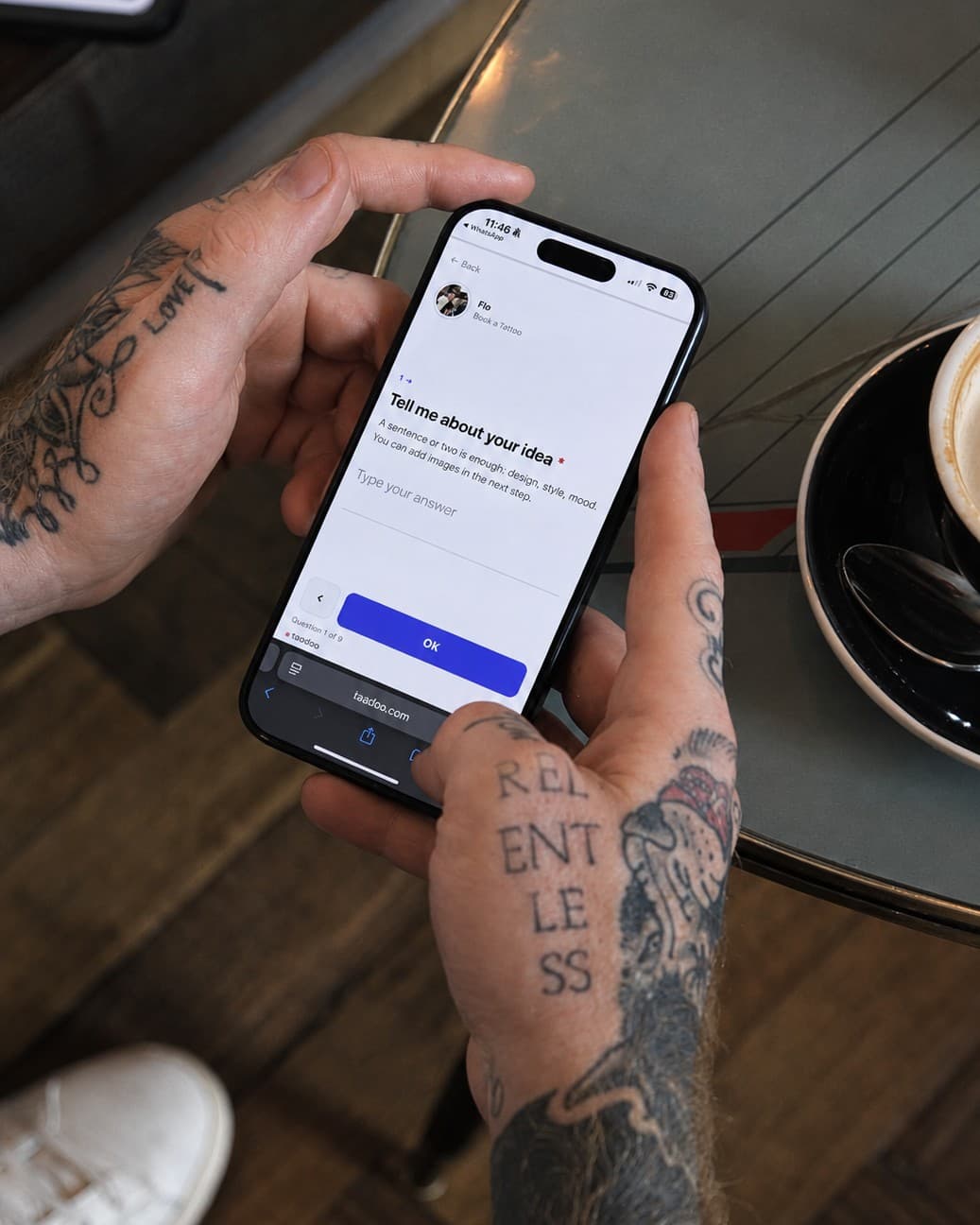

The Taddoo request form embeds into any website as a short HTML snippet: copy it in the app under Settings, Integrations, Embed on website, and paste it into the HTML block of Wix, Squarespace, WordPress or any other site builder. The form takes on your site's design, asks for idea, body part, size, reference images and preferred day, and every request lands sorted as a project in the app, with a push notification. A normal contact form sends you an email instead, which you then have to read, retype and file yourself.
- A contact form on your website gives you an email. A request form gives you a complete project: idea, body part, size, reference images, preferred day, contact, sorted in the app.
- Embedding takes five minutes: copy the code in the app, paste it into your site builder's HTML block, done. No plugin, no developer.
- The form takes on your site's design, speaks the client's language and shows no Taddoo header. Only a small logo at the bottom, and not even that on the App Pro plan.
- Website and link in bio use the same form. Whether a request comes from Instagram or from your website, it lands in the same place.
- If your site builder does not allow HTML, you add a button with the link to the form instead. Same result, one click more.
Contents
Many tattoo artists have their own website: a portfolio, a few lines about their style, a contact form. The form is usually the site builder's default block, and it does exactly one thing: it sends you an email. Name, email address, a text field. What is missing is everything you need for a reply: the body part, the size, a reference image, a preferred day. You ask, the client answers, you ask again. Three emails before you even know whether the project suits you.
This guide shows how to embed the Taddoo request form on your own website, what changes compared to the normal contact form, and where the limits are.
Contact form or request form: the difference
Both look similar on the website, a few fields and a send button. The difference is what happens behind them.
| Site builder contact form | Taddoo request form | |
|---|---|---|
| What the client fills in | Name, email, free text | Idea, body part from your list, size, up to six reference images, preferred day from your free days, contact |
| What you receive | An email in your inbox | A project in the app, with push, next to all other requests |
| Follow-up questions | Almost always needed (body part, size, image) | Rarely, because the mandatory fields catch that |
| Next step | Type a reply by email, enter the appointment by hand | Booking link with deposit in one tap from the project, appointment lands in the calendar |
| Language | The language of your website | The client's language, automatically |
| Client data | Stays in the email | The client is created in your records, with the whole history |
In short: the contact form gives you a message. The request form gives you a sorted project from which the appointment is created directly. How the form works on the link in bio is covered in Organising Instagram requests; this guide is about the route via your own website.
How to embed the form
- In the Taddoo app: Settings, Integrations, Embed on website. There you find a short HTML snippet (an iframe). If you have several forms, you pick the one you want at the top.
- Copy or share the code, for example with your web designer.
- Add an HTML block in your site builder and paste the code. Where that block lives is listed below per builder.
- Publish the page and test it once yourself: click through the form, upload an image, send. The request appears in the app.
Requirements: your Taddoo page is public, the form is switched on, and your website runs on https. That is all.
Wix
In the editor, go to Add, then Embed, then Embed HTML. Paste the code into the field and drag the block to the width you want. Wix shows the form right in the preview.
Squarespace
Add a block on the page and choose Code. Paste the code and leave the block set to HTML. Squarespace only renders code blocks on the published page, not in the editor.
WordPress
In the block editor, insert a Custom HTML block and paste the code into it. With Elementor or Divi, use the HTML widget. No plugin needed.
Jimdo, Webflow, Framer, Shopify
Jimdo has an HTML widget, Webflow and Framer an Embed block, Shopify a Custom Liquid section. The rule is the same everywhere: paste the code, publish. The Embed on website page in the app shows the clicks for each builder.
What the form looks like on your website
The embedded form has no Taddoo header and no back link, it takes on your site's font and colours and speaks the client's language. Image upload and the success message run inside your website; only links such as the privacy policy open in a new tab. The frame is 900 pixels tall, longer steps scroll inside it; on the phone it is never taller than the screen. A small Taddoo logo sits at the bottom, and not even that on the App Pro plan.
What you cannot embed on the website
- Booking links with deposit: the payment runs on its own page so Stripe can secure it. You link to it instead.
- Flash bookings with payment: same reason. You link to the flash page as a button.
- The artist page as a whole: the link in bio is its own address at taddoo.com/@yourname and belongs in the Instagram bio, not in a frame.
Website and link in bio together
You do not have to choose. The link in bio is the route from Instagram, the website the route from search and referrals. Both use the same form, all requests land in the same place. If you like, link the website from the booking page as an external link, so the route from Instagram stays short. More on this setup in Linktree alternative for tattoo artists.
Frequently asked questions
Do I need a developer to embed the form?
No. The code is a single HTML snippet that you paste into your site builder's HTML block. Wix, Squarespace, WordPress, Jimdo, Webflow, Framer and Shopify all have such a block. If someone else maintains your website, you simply forward the code; the app has a share button for that.
What is the difference between the embedded form and my website's contact form?
Your website's contact form sends you an email with a name and free text. The embedded request form asks for idea, body part, size, reference images and preferred day, and the request lands as a project in the app, with push, next to all requests from Instagram. From there you send the booking link with deposit in one tap, and the appointment lands in the calendar.
Can people tell the form is from Taddoo?
Hardly. The form has no Taddoo header, no back link, and takes on your site's design. A small Taddoo logo sits at the bottom; on the App Pro plan not even that.
Does the form work on the phone?
Yes. On the phone the frame is never taller than the screen, there is no sideways scrolling, and image upload works as it does on the link in bio.
Can I embed several forms, for example one per style?
Yes. Every form has its own code. On the Embed on website page you pick at the top which form you want to copy.
Can I also embed the deposit or the flash page?
No. Booking links with deposit and flash bookings with payment run on their own pages so the payment is secured. You link to them from your website, for example as a button.
By the Taddoo team, built by artists and booking managers for artists. Published September 29, 2026, last updated October 7, 2026.