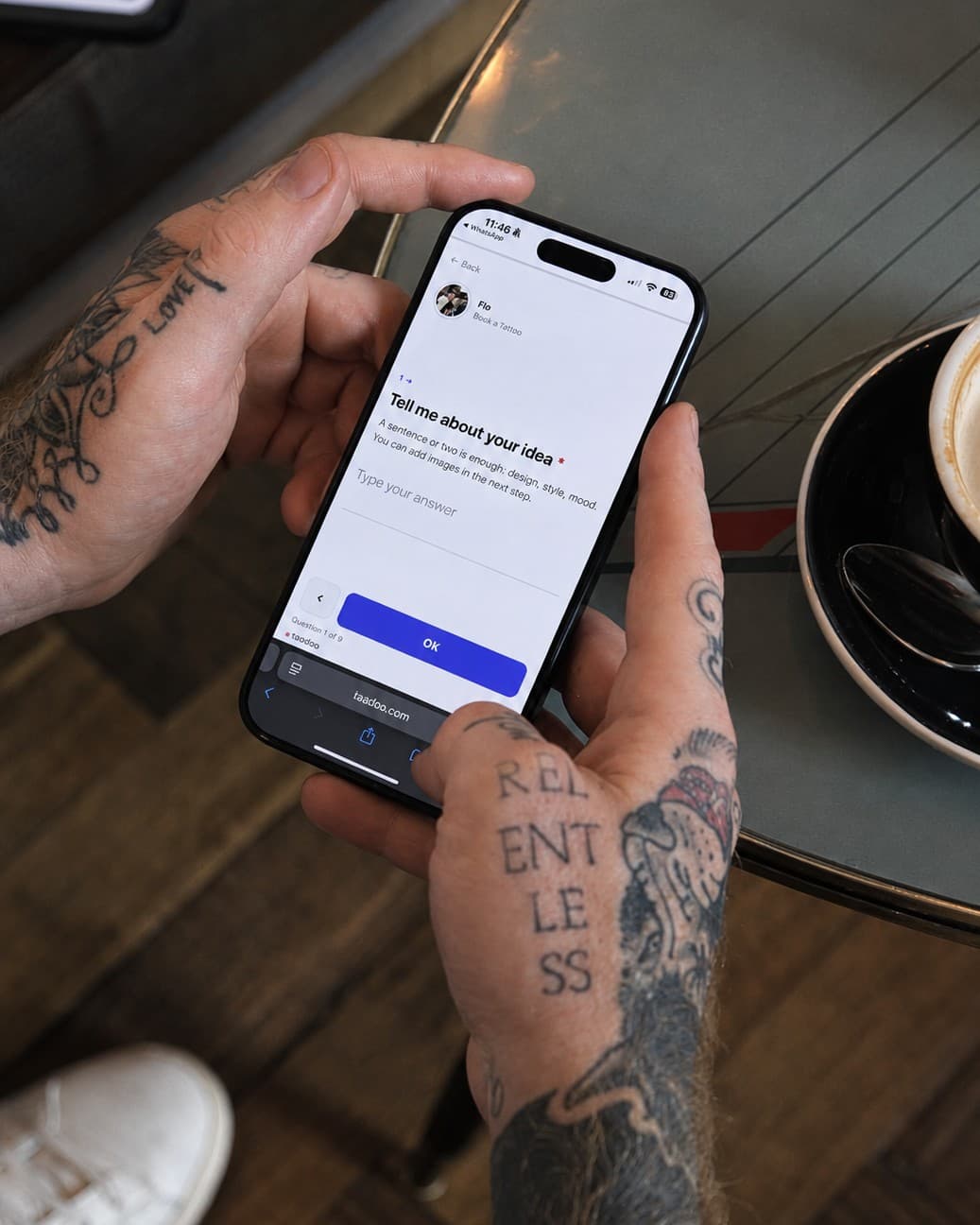

To let clients book consultations, touch-ups or treatments like piercings directly on your own website, connect the website to your tattoo app through the Taddoo website API. The website shows your free times live, clients book with name and email, pay via Stripe if needed and then come back to your website. The appointment sits in your calendar right away, and the confirmation and reminders go out automatically.
- Consultations and touch-ups are ideal for direct online booking: fixed duration, fixed price or free.
- With the Taddoo website API clients book on your own website, not on someone else's booking page.
- Your times, lead times and prices from the app apply, and on guest spot days the guest location.
- If the appointment costs something, the client pays via Stripe and then comes back to your website.
- Tattoo ideas without a fixed price stay requests: they arrive in the app as projects.
Contents
Why consultations and touch-ups should be bookable online
A consultation or a touch-up needs no long back and forth. Duration and price are fixed, often it is even free. Still, many artists handle these appointments through Instagram DMs: When are you free? Does Tuesday work? Where exactly? Every round costs time, and some clients drop off in between.
When clients pick the time themselves, all of that disappears. They see your free times, book in a minute and get a confirmation right away. All you do is look at your calendar.
What clients can book on your website
- Consultations: in person at the studio, by video call (Google Meet with its own link per booking or your fixed Zoom link), by phone or WhatsApp call. You set the format or let the client choose.
- Touch-ups: always in person, with their own duration and your touch-up times.
- Treatments like piercings, tooth gems or fixed tattoo services: with duration, price and a deposit, the full amount or no payment.
- Flash with size, a free slot and deposit.
If a consultation or touch-up is free, the appointment is confirmed right away. If you set a price, the client pays online when booking. For treatments you decide per offer whether a deposit, the full amount or nothing is paid online.
Your rules apply on the website too
The website does not make up its own times. It asks your tattoo app, which works with everything you set up there:
- your weekly consultation schedule and your touch-up times, otherwise your normal booking hours
- lead time: how short notice and how far ahead clients can book
- guest spots: on guest days the guest location's address applies, or you limit it to your home studio
- books closed: consultations and touch-ups can be paused, and the website no longer shows them as bookable
How to set it up
- In the Taddoo app go to Link in bio, Plus, and add the blocks Book a consultation and Book a touch-up. For treatments use the block of that treatment, for example piercing.
- Set duration, price and, for consultations, the format of the call. For video calls you connect your Google account for Meet only.
- Add a card to your account and copy the prompt for your coding agent in the app under Settings, Embed on your website.
- Paste the prompt into Lovable, Bolt, v0, Cursor or Claude Code and add: "Build consultation and touch-up booking with the Taddoo API." The agent reads the developer docs and builds the booking into your design.
- Add your domain as an allowed domain on the key. Then clients come back to your own website after paying.
What happens after the booking
You get a push, and the appointment sits in your calendar as a consultation or touch-up. The client gets a confirmation with a calendar file and, depending on the format, the meeting link, the address or a note on who calls whom. Reminders run like for any other appointment. A topic or photo the client adds when booking ends up in the appointment notes.
| Appointment via DM | Booking on your website | |
|---|---|---|
| Finding a time | Several messages back and forth | Client picks from your free times |
| Payment | Asking for a bank transfer | Right when booking via Stripe |
| Calendar | Entered by hand | In there right away |
| Reminder | Written yourself | Goes out automatically |
| Video call link | Created and sent yourself | Generated per booking |
And when clients want a big tattoo?
Nobody books a big or custom project blind. That is what the request form is for: the request arrives in the app as a project with idea, placement, size and reference images, and you send a booking link afterwards. Often the consultation is exactly the first step. How to handle touch-ups in general is covered in the guide Touch-ups: appointments and rules.
Frequently asked questions
Can clients book a tattoo consultation directly on my website?
Yes. Connect your website to your tattoo app through the Taddoo website API. Clients see your free consultation times, choose in person, video call or phone and book with name and email. The appointment sits in your calendar right away.
Can I charge for consultations?
Yes. If you set a price, the client pays online via Stripe when booking. Without a price the consultation is free and confirmed right away.
How do I stop clients from booking at too short notice?
With the lead time in the app: you set how many hours ahead at the earliest and how many days ahead at the latest clients can book. The website only shows times that fit.
Can I offer touch-ups for free?
Yes. Without a price the touch-up is free and confirmed right away. With a price the client pays the full amount online when booking.
Do I need a coded website?
For booking on your own site, yes, for example built with Lovable, Bolt, v0, Framer, Cursor or Claude Code. Your coding agent does the work with the prompt from the app. Without your own website clients book consultations and touch-ups on your Taddoo page at taddoo.com/@yourname.
Does this also work for a tattoo studio with several artists?
Yes. With the key of a studio account the studio website books consultations and touch-ups with every linked artist, each with their own times.
By the Taddoo team, built by artists and booking managers for artists. Published November 3, 2026, last updated November 3, 2026.