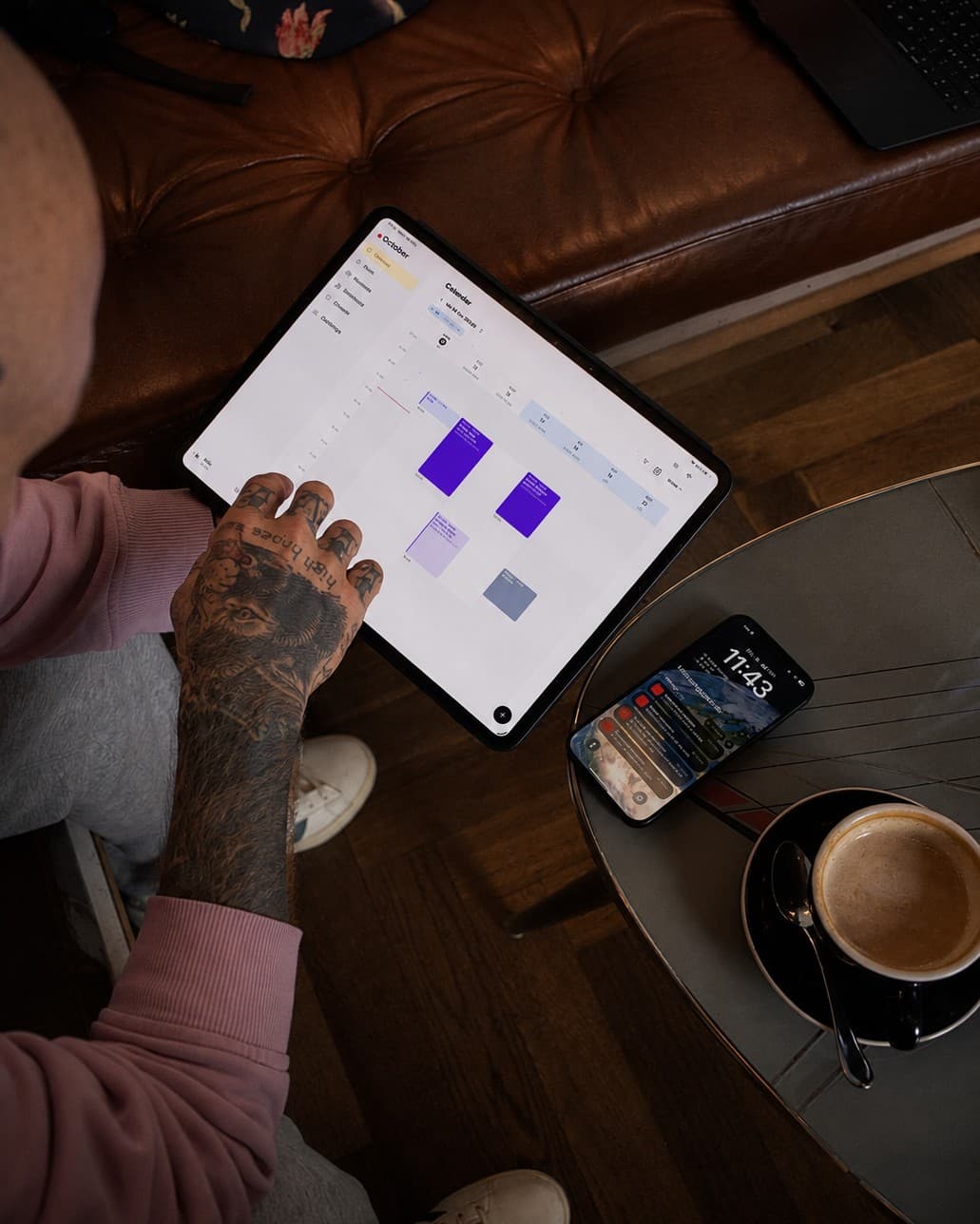

For ChatGPT or Claude to manage your tattoo appointments, your studio software needs a connector via the open MCP protocol. Taddoo has one: in Claude or ChatGPT you add the address taddoo.com/api/app/mcp as a custom connector and sign in with your Taddoo account. The assistant then creates appointments from screenshots, finds free slots, creates deposit links, sets up your link in bio and files receipts. It shows every change as a preview first and only carries it out after you confirm.
- An AI assistant without access to your calendar can only write text. A connector is what lets it actually book appointments.
- MCP (Model Context Protocol) is the open standard Claude, ChatGPT and other assistants use to talk to apps.
- With Taddoo a screenshot of a request is enough: client, appointment and, if you want, a deposit link are done in a minute.
- Every change arrives as a preview first. Without your confirmation the assistant writes nothing.
- Your clients keep hearing from you. The assistant does not message them on its own.
Contents
Why copy-paste with ChatGPT is not enough
Many artists already use ChatGPT or Claude to reply to requests. The routine is usually the same: copy the message, paste it into the chat, copy the reply back, then enter the appointment in the calendar by hand. The assistant sees neither your free slots nor your client records, so it guesses or asks. The actual work, booking, stays with you.
That changes as soon as the assistant is connected to your studio software. It then reads your real calendar, finds real gaps and books the appointment itself, with every detail from the request.
What is MCP?
MCP stands for Model Context Protocol, an open standard AI assistants use to work with other programs. An app that speaks MCP gives the assistant tools, for example "find free slots" or "create appointment". Claude and ChatGPT support MCP, and you connect an app once with your login, a bit like "Sign in with Google".
What the assistant can do in Taddoo
- Appointments from screenshots: read name, phone, motif, placement and size from an Instagram, WhatsApp or email request, add the client and book the appointment.
- Free slots: find gaps for a given duration, including holidays, guest spots and blocked days.
- Deposit and consent: create a deposit link and the consent form link to drop into your reply.
- Checkout: record final price, payment method, vouchers and VAT, with a PDF receipt.
- Link in bio: set up design, bio, books open or closed, new buttons, order and flash designs with a sentence.
- Working hours and travel: weekly schedule, single days off, holidays and guest spots.
- Bookkeeping: file receipts by photo and ask for income, expenses and profit.
- Vouchers: issue vouchers paid in person and look up open ones.
Step by step: connect Claude or ChatGPT
- In the Taddoo app, copy the address under Settings > Connect AI: taddoo.com/api/app/mcp.
- Claude: Settings > Connectors > add custom connector and paste the address. ChatGPT: turn on developer mode in settings and create a new app with this address.
- Sign in with your Taddoo account in the browser and allow access.
- Try it in the chat, for example: "What's in my calendar tomorrow?"
Whether custom connectors are included in your AI subscription depends on the provider and plan. With Taddoo the connector is part of every plan.
Five sentences that save the most time
Here's a request from Instagram. Add her as a client and find me a two-hour slot in the next three weeks, ideally in the afternoon.
Create a deposit link for 80 francs for Mara's appointment on Friday and give me the link for my reply.
Give my link in bio a vintage look, set books to closed with the note "Books open on 1 November" and add a button to my print shop.
I'm guesting at Ink Lab in Berlin from 10 to 14 March, please add that, prices in euros.
How did October go? Income, expenses, profit and which deposits are still open.
Copy-paste versus connector
| ChatGPT with copy-paste | Assistant with the Taddoo connector | |
|---|---|---|
| Knows your calendar | No | Yes, live |
| Books appointments | No, you do | Yes, after you confirm |
| Knows your clients | No | Yes, with history |
| Deposit link | By hand | On request |
| Link in bio and working hours | No | Yes |
| Control | You copy everything yourself | Preview and confirmation for every change |
Control and privacy
The assistant only sees the account you signed in with. Reading works right away, every change first comes as a preview with all details. Only when you confirm does Taddoo write anything. In the Taddoo app under Connect AI you see every connected app and disconnect it with one tap.
What you type into the chat is processed by your AI provider under its own rules. Check there whether your chats are used for training and switch that off if needed. Health details from consent forms do not belong in the chat.
Frequently asked questions
Can ChatGPT book my tattoo appointments?
Yes, if your studio software has an MCP connector. With Taddoo you connect ChatGPT in developer mode to taddoo.com/api/app/mcp, and ChatGPT then books appointments after you confirm the preview.
Does it work with Claude too?
Yes. In Claude you add a custom connector with the Taddoo address under Settings > Connectors and sign in with your Taddoo account.
Can the assistant use images from the chat?
In ChatGPT, yes: you drop reference images, receipts or flash designs into the chat and the assistant passes them to Taddoo. Claude reads screenshots and takes the details from them, but only passes image files on as a public link.
Does the AI message my clients?
Not on its own. The assistant creates links for your reply. An appointment confirmation only goes to the client when you explicitly confirm it.
What does the connector cost?
Nothing extra at Taddoo, it is included in every plan. Depending on your AI provider you may need a subscription there that allows custom connectors.
By the Taddoo team, built by artists and booking managers for artists. Published October 5, 2026, last updated October 5, 2026.