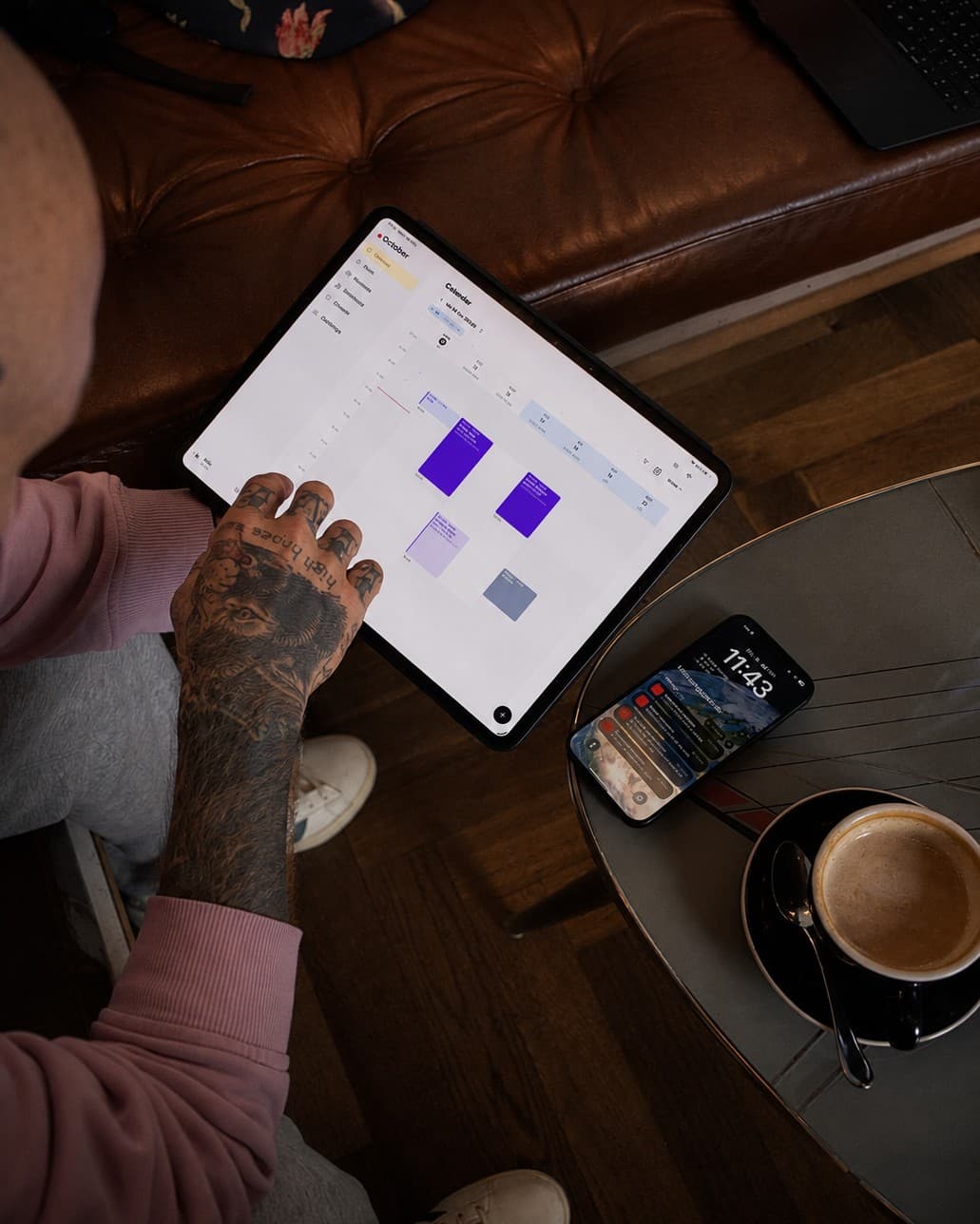

You can automate tattoo enquiries when an AI assistant such as Claude or ChatGPT can both read your messages and write to your studio software. With Taddoo this works through a connector built on the open MCP standard: you hand the assistant an email from Gmail, an Instagram screenshot or just a sentence, and it creates the client, the appointment with all project details, a deposit link and a consent link. Every change is shown as a preview first and only written after you confirm.
- The problem is not too few enquiries but too many channels: Instagram, email, WhatsApp and your form all run side by side.
- An AI assistant with a connector is the glue in between. It reads the message where it lives and enters the result in your app.
- The outcome is always the same: client, appointment with motif, placement and size, deposit link and consent link.
- One connector replaces ten separate integrations. Any tool that speaks MCP can work with your Taddoo account.
- You stay in control: a preview before every change, and clients keep hearing from you, not from the assistant.
Contents
The real problem: enquiries arrive everywhere
A week in a tattoo artist's life: twelve Instagram DMs, six emails, three WhatsApp messages from regulars and a few entries from the request form. Every enquiry is a small project with motif, placement, size, reference images and a preferred date. And every one has to be copied by hand into the calendar, the client records and a reply with a deposit link.
The time is not lost while tattooing, it is lost while copying. That exact step can now be handed to an AI assistant, as long as it does not just write text but also has access to your studio software.
The idea: many channels in, one workflow out
Instagram DM · email in Gmail · WhatsApp · a sentence in chat · your own software
↓
AI assistant (Claude, ChatGPT or any other program that speaks MCP)
↓
Taddoo connector (MCP)
↓
Client + appointment with project details + deposit link + consent
The assistant is the translator in the middle. It understands a messy message ("a wolf, roughly hand sized, on the forearm, any chance before Christmas?") and turns it into clean fields. The Taddoo connector is the door into your account: through it the assistant finds genuinely free slots and creates the client and the appointment. After that the app does what it always does: a reminder before the appointment, a receipt at checkout, the aftercare email the day after.
What is MCP, in one sentence?
MCP (Model Context Protocol) is an open standard that lets AI assistants work with apps: the app offers tools such as "find free slots" or "create appointment", and the assistant uses them once you have signed in with your account. How to connect Claude or ChatGPT is explained step by step in the guide Managing tattoo appointments with ChatGPT and Claude.
Four ways enquiries enter the workflow
1. Instagram: a screenshot instead of retyping
Instagram does not let outside programs into your DMs, and that is a good thing. The fastest route is a screenshot of the conversation that you drop into the chat with your assistant. It reads name, handle, motif, placement, size and preferred period, suggests free slots and, once you confirm, creates the client and the appointment. More on sorting your DMs in the article on Instagram enquiries.
2. Gmail: two connectors side by side
This is where it gets interesting. Claude has its own Gmail connector. Turn on Gmail and Taddoo in the same chat, and the assistant works with both in one pass: it reads the new enquiries in your inbox, checks them against your calendar and creates a client and appointment for each one, always with a preview. Your emails stay in Gmail, and Taddoo only receives what you confirm. In ChatGPT it depends on the mode whether Gmail and a custom connector run together in the same chat; if not, simply paste the email into the chat. Not every assistant passes on reference images from attachments directly; if yours does not, you add them in the app with two taps.
3. The chat itself: dictate on the way to the studio
Not every enquiry is written. A regular asks for the next session at checkout, someone calls, a colleague asks about a guest spot. You simply tell the assistant in the Claude or ChatGPT app what is coming up: "Add Jonas for a back piece, four sessions of five hours, the first in November, 150 francs deposit." The connector does the rest.
4. Your own software and agents
MCP is an open standard, so the Taddoo connector works not only with Claude and ChatGPT but with any program that speaks MCP and supports OAuth sign-in: developer tools like Cursor or Claude Code, automations or your own agent. For your own website there is also the public website API with SDK: requests, flash bookings and waitlists land directly in the app there, with no assistant in between.
What ends up in Taddoo
- Client: name, phone, email and Instagram handle, with a note if something important was in the enquiry. If the person already exists, the assistant finds them in your records.
- Appointment with project details: motif, placement, size, duration, price or price range and reference images, on a day that is genuinely free (including holidays, guest spots and blocked days).
- Deposit link: the amount you set, payable by card, Apple Pay or Google Pay. The link goes into your reply to the client.
- Consent link: so the client fills in the form on their phone before the appointment.
- Booking confirmation: only sent when you explicitly confirm it.
- Everything after: reminder, receipt and aftercare run automatically from the app as usual.
Example: from email to booked appointment
- In the evening you write in Claude: "Go through today's new tattoo enquiries in my Gmail."
- The assistant summarises four emails: two small fineline pieces, a cover-up with questions, one reschedule.
- For the two small pieces it suggests three free slots each and shows the preview: new client, appointment, 80 francs deposit.
- You confirm. Taddoo creates the clients and appointments and the deposit links.
- The assistant writes the replies with the links; you send them from Gmail or leave them as drafts.
- You mark the cover-up for a consultation, and the assistant enters the reschedule after you confirm.
Read today's unread tattoo enquiries in my Gmail. Summarise each in one line and, for small pieces up to two hours, suggest three free slots in the next four weeks. Do not create anything until I say so.
Here is an enquiry from Instagram. Add the person as a client, put in a three-hour appointment on the first free Saturday and create a deposit link for 100 francs.
Show me all open requests from my request form that are older than three days and suggest a suitable appointment for each.
Why one connector instead of ten integrations
In the past this workflow needed one integration per tool: one for Gmail, one for the form, one for the calendar, wired together with Zapier or Make, with fixed rules that break at the first unusual enquiry. An assistant with a connector works differently. It understands the email that fits no template, and Taddoo only needs a single interface that works with every assistant that speaks MCP.
| By hand | Zapier with fixed rules | Assistant with Taddoo connector | |
|---|---|---|---|
| Understands free text and screenshots | Yes | Barely | Yes |
| Knows your free slots | Yes | Only with extra work | Yes, live |
| Creates client and appointment | Yes, yourself | Yes, if the rule fits | Yes, after confirmation |
| Deposit and consent link | By hand | Complicated | On request |
| Setup | None | Hours, per tool | Connect once |
| Control before writing | Yes | No, runs automatically | Preview on every change |
Control and privacy
The assistant only sees the Taddoo account you signed in with. Reading works straight away, and every change comes as a preview first. In the Taddoo app under Settings > Connect AI you see every connected app and disconnect it with one tap. What you write in the chat and what the assistant reads from Gmail is processed by your AI provider under its own rules. Check there whether chats are used for training and turn that off if needed. Health details do not belong in the chat; they stay in the consent form.
Frequently asked questions
Can an AI read my Instagram enquiries directly?
No, Instagram does not give outside programs access to your DMs. The fastest route is a screenshot of the conversation in the chat with Claude or ChatGPT. The assistant reads the details and creates the client and appointment through the Taddoo connector.
How do tattoo enquiries from Gmail get into my calendar automatically?
Turn on the Gmail connector and the Taddoo connector in the same Claude chat. The assistant can then read your enquiries in Gmail, find free slots in Taddoo and, after you confirm, create the client, appointment and deposit link.
Does the assistant send replies to my clients?
Not on its own. It creates links and drafts replies for you. You do the sending, and a booking confirmation from Taddoo only goes out when you explicitly confirm it.
Does the Taddoo connector work with programs other than ChatGPT and Claude?
Yes. MCP is an open standard. Any program that speaks MCP and supports OAuth sign-in can work with your Taddoo account, for example Cursor, Claude Code or your own agent. For your own website there is also the Taddoo API with SDK.
Do I need Zapier or Make for this?
No. The assistant replaces the fixed rules of a Zapier automation because it understands messy messages too. You connect Taddoo once and use it in every chat.
What does it cost?
At Taddoo the connector is included in every plan, from 14 CHF a month. With your AI provider you need a plan that allows custom connectors.
By the Taddoo team, built by artists and booking managers for artists. Published October 8, 2026, last updated October 8, 2026.